Screenshots
App details
- Version
- rev3128 | rev2844 | 4533.20140929 | 2008...
- Size
- 2.25 MB
- Updated
- July 24, 2023
- Requires
- Windows 8.1
- Language
- English | German | Spanish | French | Po...
- License
- Free
- Developer
- Free-codecs
- Category
- Windows OS
SoftPas in:
This product is also available in the following languages:
About ffdshow
Download ffdshow – Free Codec Pack for DivX, XviD, MPEG‑2 and More
Overview
ffdshow is a long‑standing, free codec pack that bundles a wide variety of video and audio decoders, filters, and post‑processing tools into a single, lightweight installation. Originally built to give Windows users full playback support for legacy formats such as DivX, XviD, MPEG‑2, and a host of less common codecs, ffdshow still shines for enthusiasts who demand fine‑grained control over how media is rendered. The suite includes both DirectShow filters and VFW (Video for Windows) components, meaning it can be hooked into classic players like Media Player Classic, Winamp, or even newer applications that still rely on the DirectShow pipeline. While modern media players have grown more capable of handling a broad spectrum of formats out‑of‑the‑box, ffdshow remains a powerful backstage tool for those who like to tweak deinterlacing, color correction, sharpening, or audio resampling on the fly. The package is completely free, open‑source, and regularly updated by a community of volunteers who maintain codec definitions, bug fixes, and occasional UI enhancements. However, the lack of a built‑in tutorial or an “undo” button means that users should approach the settings with caution—especially if they are unfamiliar with DirectShow filter chains. In short, ffdshow is a niche but potent solution for users who need deep codec customization, particularly on older Windows setups or when using classic media players that still depend on external codec packs.
Key Features and Capabilities
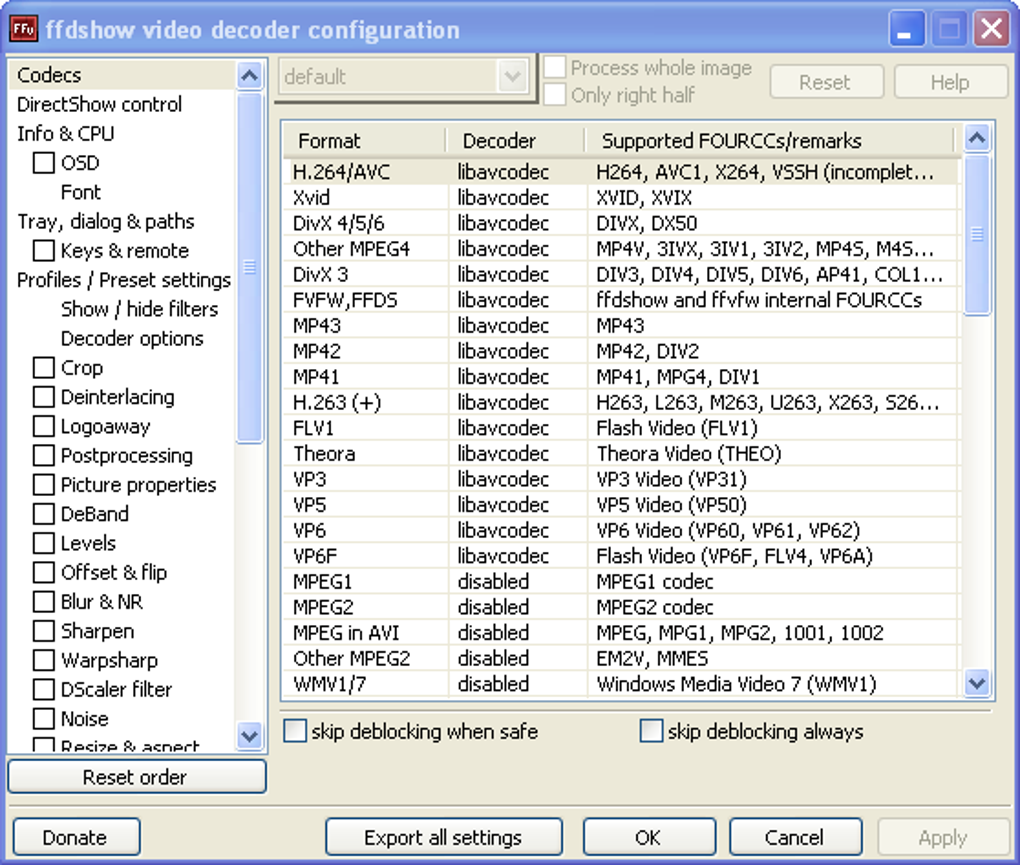
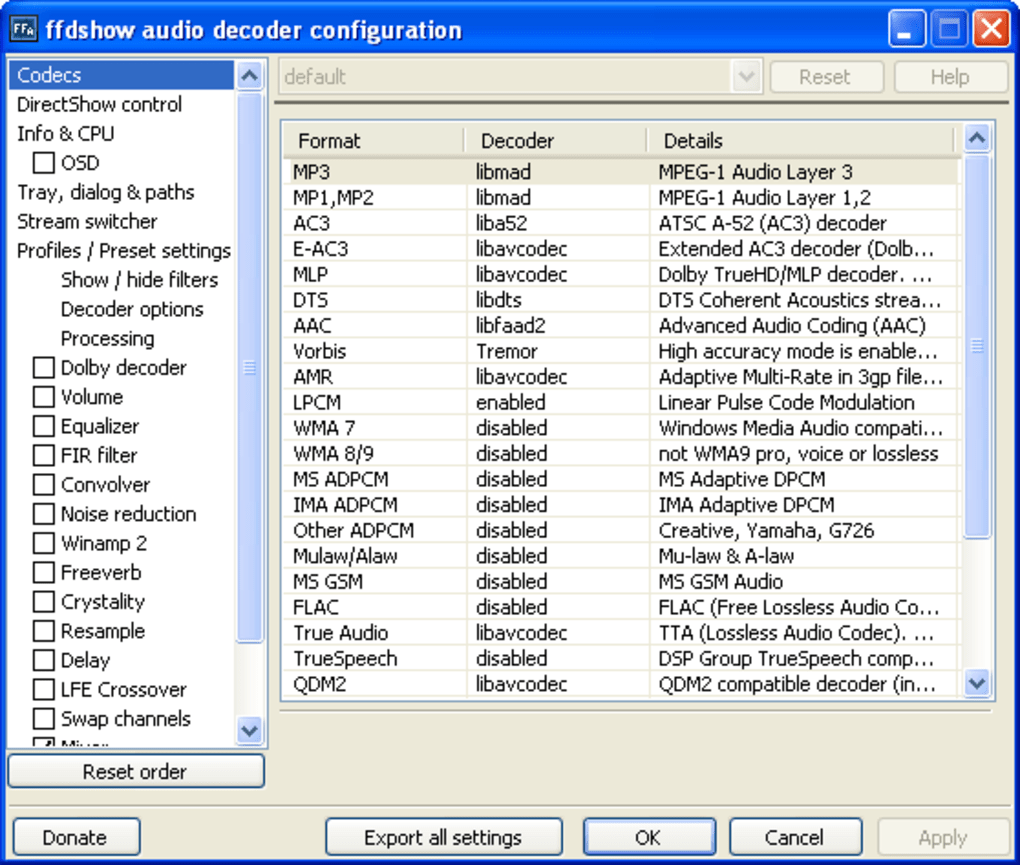
- Extensive Codec Library: Supports popular video codecs (DivX, XviD, H.264/AVC, MPEG‑2, HEVC) and audio codecs (MP3, AAC, AC‑3, DTS, FLAC).
- Real‑time Filters: Built‑in deinterlacing, denoise, sharpen, and color‑correction filters that can be toggled per‑file.
- Audio Post‑Processing: Includes resampling, dynamic range compression, and channel remapping for optimal sound quality.
- DirectShow Integration: Works seamlessly with any DirectShow‑compatible player, allowing you to replace internal decoders with ffdshow’s versions.
- Configurable Profiles: Save and load custom filter chains, making it easy to switch between “movie” and “gaming” presets.
- Open‑Source and Free: No licensing fees; the source code is publicly available for auditing and community contributions.
- Regular Updates: Community‑driven updates keep codec definitions current and address security concerns.
- Lightweight Footprint: The installer is under 10 MB and consumes minimal system resources when idle.
Installation, Usage & Compatibility
Step‑by‑Step Installation
1. Download the installer from the official ffdshow website or a trusted mirror. Choose the 32‑bit version for older Windows (XP/7) or the 64‑bit version for Windows 10/11.
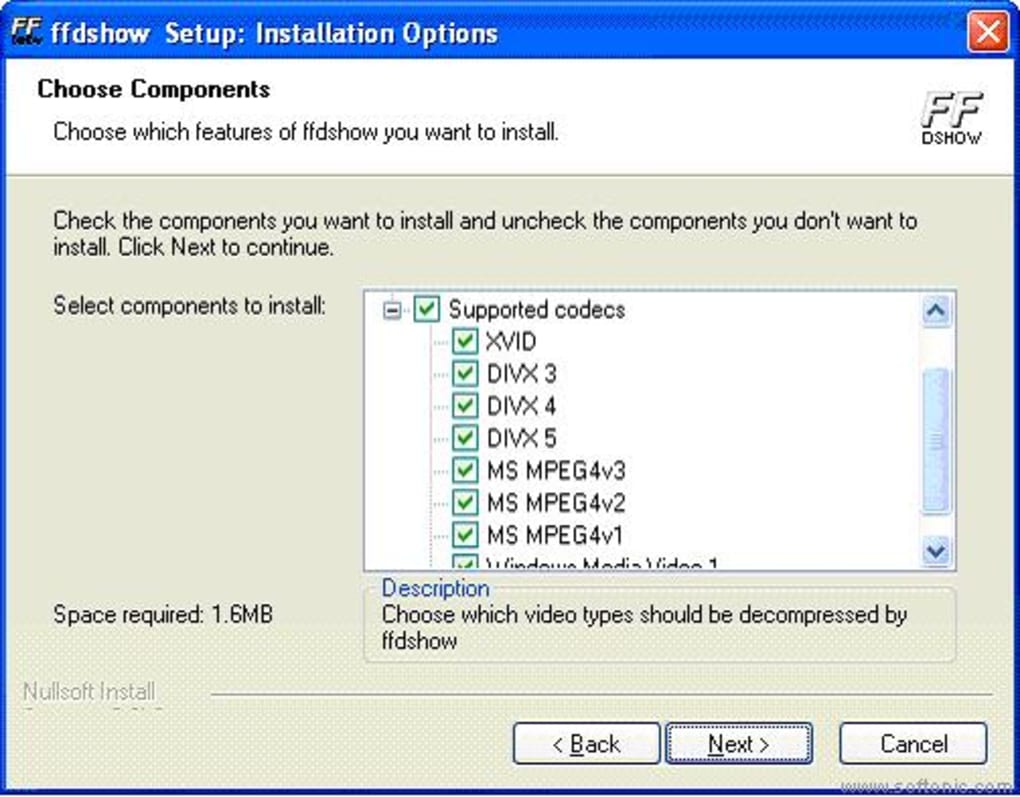
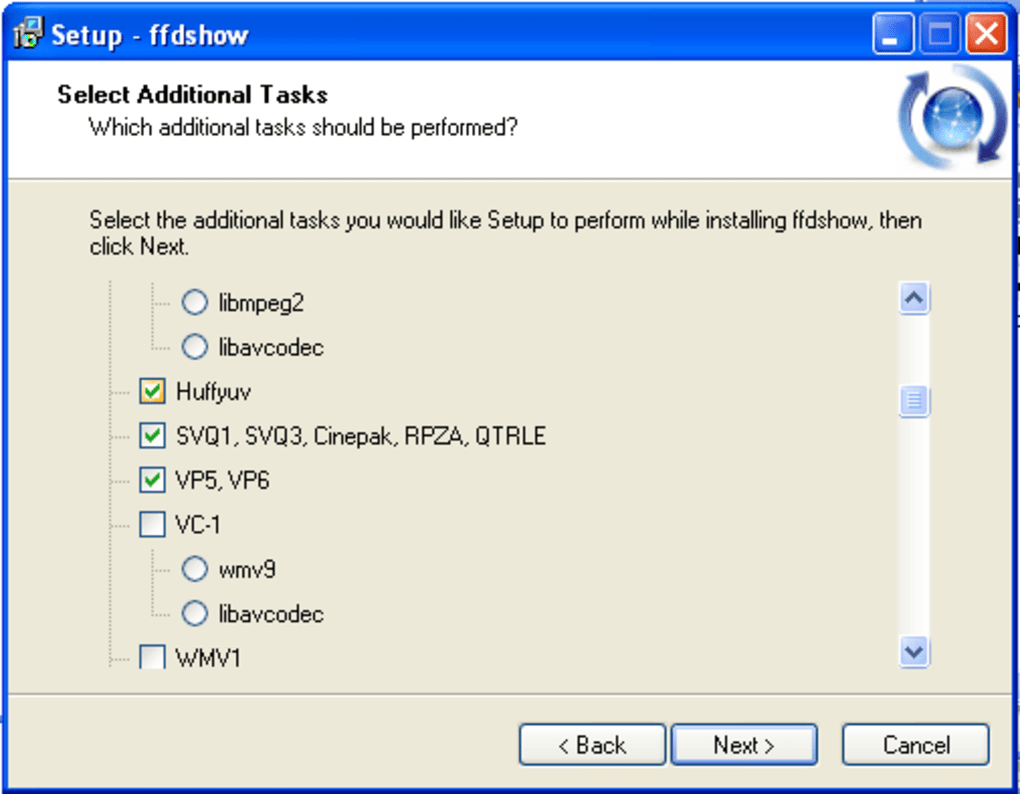
2. Run the executable with administrator privileges. The wizard will guide you through component selection; most users can keep the default set, which includes both video and audio filters.
3. Finish the setup and restart any media player that you plan to use with ffdshow. The codecs will automatically register with the system’s DirectShow filter graph.
4. Open your player’s filter configuration (e.g., Media Player Classic → Options → Internal Filters) and ensure ffdshow is selected as the preferred decoder for the desired formats.
How to Use the Filters
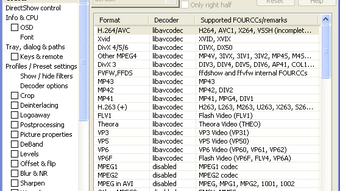
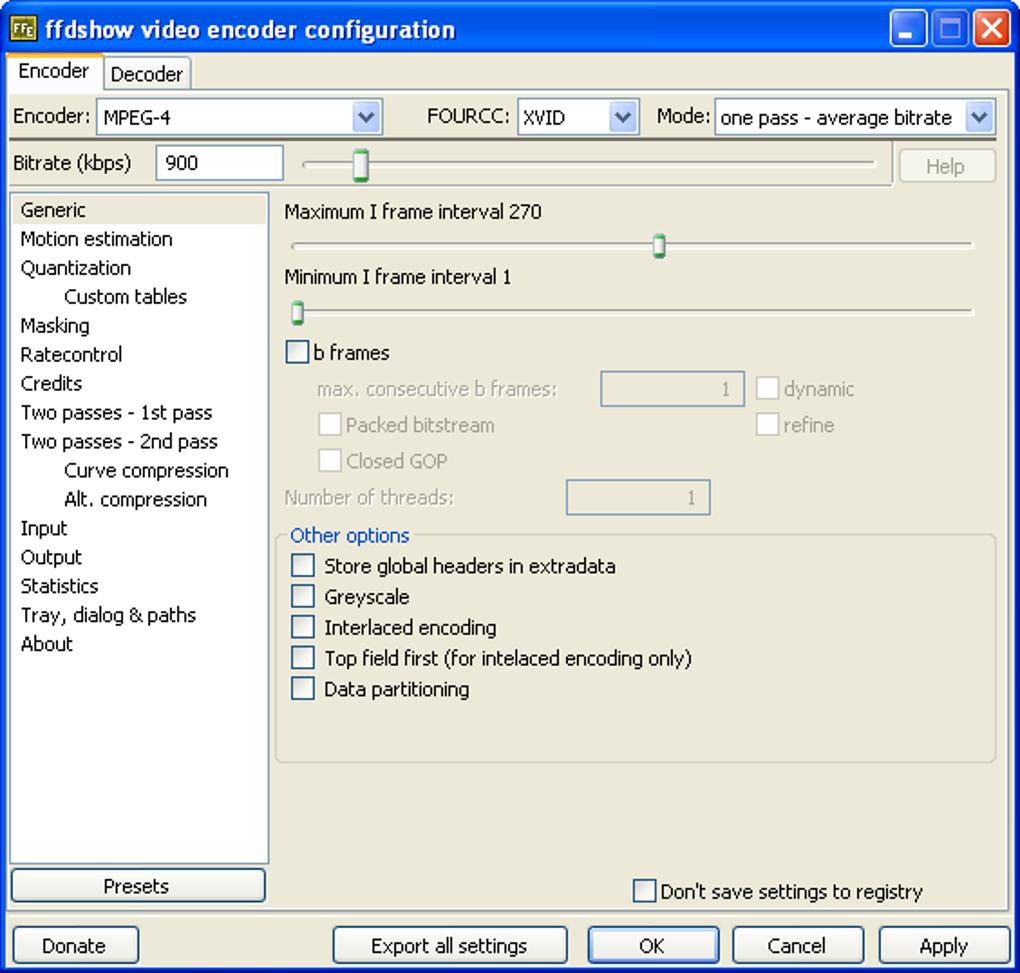
After installation, ffdshow adds a configuration panel accessible via the system tray or by right‑clicking a playing video and selecting “ffdshow video decoder settings.” Within this panel, you can enable or disable individual filters, adjust thresholds, and preview changes in real time. For audio, a similar interface allows you to set sample rates, enable bit‑depth conversion, and apply equalizer presets. Because there is no built‑in “undo” button, it’s wise to export your configuration before making major changes—simply use the “Save preset” function and reload it if needed.
Operating System Support
ffdshow is primarily built for Microsoft Windows. Officially supported versions include Windows XP, Windows 7, Windows 8/8.1, and Windows 10/11 (both 32‑bit and 64‑bit). While the codec pack can be coaxed into working on Windows Server environments, it is not designed for macOS, Linux, Android, or iOS. Users on those platforms typically rely on native media frameworks (e.g., VLC, MPV) that already bundle comparable codec sets. For Windows users, ffdshow works best with classic players that still rely on DirectShow, such as Media Player Classic‑Home Cinema, Windows Media Player (with filter registration), and certain versions of Winamp.
Pros, Cons & Quick FAQ
Pros
- Broad codec support, including legacy formats.
- Highly customizable filter chain for video and audio.
- Free and open‑source, with regular community updates.
- Lightweight installer and low runtime overhead.
- Works seamlessly with classic Windows media players.
Cons
- No built‑in tutorial or “undo” function; novice users may feel overwhelmed.
- Limited to Windows; not available for macOS, Linux, Android, or iOS.
- Modern players often render external codec packs unnecessary.
- Configuration UI feels dated compared to newer codec solutions.
- Potential conflicts with other DirectShow filter packs if not managed carefully.
Frequently Asked Questions
Is ffdshow still safe to use in 2025?
Yes. The community maintains regular security patches, and the source code is publicly auditable. As long as you download from the official site or a reputable mirror, the software remains safe.
Can ffdshow improve playback quality on modern HD videos?
While ffdshow excels at legacy formats, its filters (e.g., sharpening, deinterlacing) can still enhance certain HD streams, especially if the source material is poorly encoded.
Do I need to uninstall other codec packs before installing ffdshow?
It’s recommended to remove competing DirectShow packs (like K-Lite) to avoid filter conflicts. If you keep multiple packs, use the “Filter Order” tool to prioritize ffdshow.
Is there a portable version of ffdshow?
No official portable edition exists, but advanced users can manually copy the DLLs and register them on a target machine. This requires command‑line registration and is not recommended for beginners.
How do I revert changes if a filter breaks playback?
Before tweaking settings, export your current configuration using the “Save preset” button. If playback fails, reload the saved preset or reset all filters to their defaults from the same panel.
Conclusion & Call to Action
ffdshow remains a valuable tool for Windows power users who want granular control over video and audio decoding. Its free, open‑source nature and extensive filter set make it a solid choice for anyone still using classic media players or dealing with older file formats that modern apps might not handle perfectly. While the lack of an integrated tutorial and its Windows‑only focus limit its appeal for casual viewers, the codec pack’s flexibility and low resource footprint are hard to beat for enthusiasts. If you’re comfortable navigating DirectShow filters and want to squeeze every ounce of quality from your media library, give ffdshow a try. Download the latest version now, configure your preferred presets, and enjoy smoother, more customizable playback today.
Guides & Tutorials
How to install ffdshow
- Click the Download button above.
- Once redirected, accept the terms and click Install.
- Wait for the ffdshow download to finish on your device.
How to use ffdshow
This software is primarily used for its core features described above. Open the app after installation to explore its capabilities.
User Reviews
No reviews yet. Be the first to share your experience.
You may also like
more
Llama 2
Free-to-use large language model As the new addition to Meta’s arsenal of langua...

NotebookLM
Revolutionizing the note-taking and idea-generation process NotebookLM is an exp...

Github co pilot
AI-inspired software development and coding platform GitHub Copilot is a browser...

Google Gemma
Google’s lightweight AI models Introducing Google Gemma , a family of cutting-ed...

AI Image Enlarger
A free app for Windows, by ai-image-larger. AI Image Enlarger is a free software...

DALL E
AI-driven text-to-image transformation engine DALL·E is a free graphic and desig...